
How I Measure My Dify Chatbot Quality with Scenario Testing
What I did
I designed multi-turn conversation scenarios for a Dify chatbot, ran them automatically via the API, and measured response quality quantitatively.
If you've built chatbots with Dify, you've probably noticed this: single-turn Q&A works fine, but once users get into 3-4 turn conversations, quality drops noticeably. So I built automated tests — multi-turn scenarios with expected responses, fired against Dify's API — to catch these problems before they reach production.
Background: existing eval tools and the remaining gap
Dify has official integrations with several observability and evaluation tools. These tools aren't just for tracing — they also have evaluation capabilities.
| Tool | Evaluation features |
|---|---|
| LangSmith | Datasets + Evaluators, LLM-as-Judge, human feedback |
| Langfuse | Datasets, LLM-as-Judge, human feedback, custom scores |
| Opik | LLM-as-Judge, 8 conversation-specific metrics, dataset evaluation |
| Arize AX | LLM-as-Judge, Session Evals, human annotation |
| Phoenix | LLM-as-Judge, Evaluator Hub |
These tools can, for example, run an application against a dataset of {input, expected_output} pairs and compare scores before and after changes. However, none of them seem to support designing and executing multi-turn conversation scenarios to check quality end-to-end.
What I wanted
Here's what I was looking for:
- Evaluate multi-turn conversations: Test entire conversation flows (not just single Q&A), including context retention and information consistency across turns
- Design branching based on bot responses: Create scenarios where the user's next question depends on what the bot actually said in the previous turn
- Score each turn with LLM-as-Judge: After running a scenario, automatically evaluate each turn's response on criteria like semantic accuracy and context retention
- Run tests repeatedly and automatically: Define scenarios once, run them as many times as needed, so quality issues that single manual tests miss get caught through continuous testing
- Auto-generate scenarios from Dify DSL: Writing scenarios shouldn't be the bottleneck — just paste a Dify app's flow definition (YAML) and have test scenarios generated from its structure
I originally built a tool to do all of this for my own use. After using it heavily, it turned out to be more broadly useful than expected, so I published it as ConvoProbe.
A note on the Dify community's approach to quality: I searched the Dify forum and GitHub Discussions to see how others handle chatbot quality. The results were surprising:
Search Count Forum posts about chatbot quality evaluation 0 GitHub Discussions about testing/validation 3 GitHub Issues about regressions after updates 211 GitHub Issues about observability/tracing 524 There's plenty of discussion about observability and regressions, but almost none about systematically evaluating quality.
What ConvoProbe does
1. Evaluate multi-turn conversations
ConvoProbe evaluates entire multi-turn conversations, not just individual Q&A pairs.
Single-turn tests can verify whether individual answers are correct. But in real chatbot usage, problems emerge at turn 3 or 4 — the bot loses context, mixes up information, or contradicts what it said earlier. ConvoProbe lets you verify things like "does the bot at turn 4 correctly reference what it said at turn 1?"
2. Design conversation scenarios visually
You build conversation structures in a GUI — much like designing flows in Dify itself. For each turn, you set the user's message and the expected response.
3. Design dynamic branching based on bot responses
Real conversations aren't linear. What the user asks next depends on what the bot just said.
ConvoProbe uses an LLM to evaluate the bot's response at runtime and dynamically determines which branch to follow. Static dataset evaluation can't express this kind of "output-dependent branching."
4. Auto-generate scenarios from Dify DSL
Paste your Dify app's DSL (the YAML flow definition) into ConvoProbe, and it analyzes the flow structure to auto-generate test scenarios.
No need to design scenarios from scratch. For existing Dify apps, you can start testing immediately. Generated scenarios can be run as-is or edited in the GUI.
5. Score each turn with LLM-as-Judge
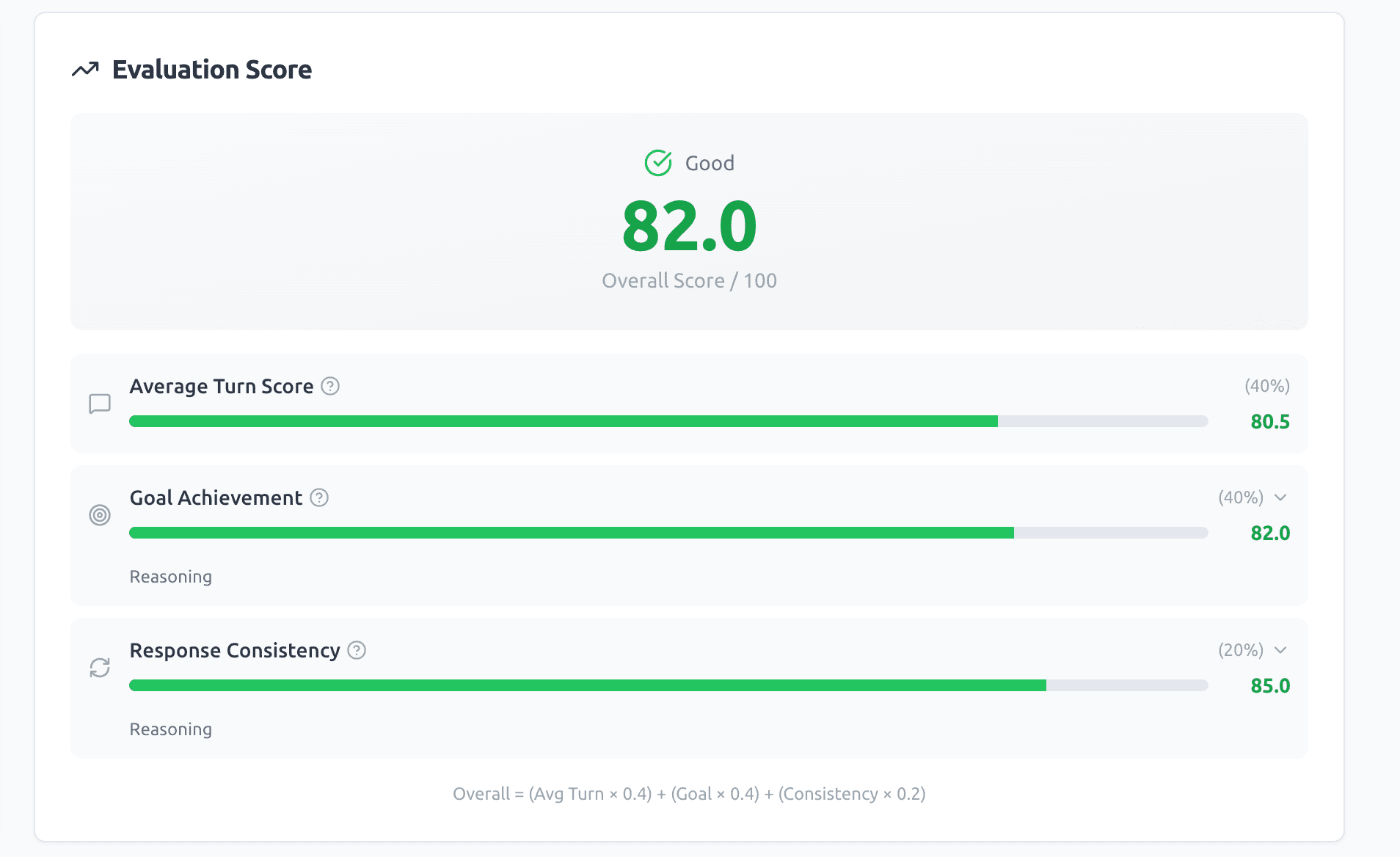
When a scenario runs, each turn's response is automatically scored on the following criteria:
| Criterion | What it measures |
|---|---|
| Semantic alignment | Does the actual response convey the expected meaning and information? |
| Completeness | Does the actual response cover all key points from the expected answer? |
| Accuracy | Is the information in the actual response factually correct? |
| Relevance | Is the actual response directly relevant to the question? |
In addition, the entire conversation is evaluated holistically and displayed as an overall score.
What scenario testing reveals
Running multi-turn scenario tests surfaces quality problems that are otherwise hard to catch:
Quality degrades over multiple turns
A chatbot that looks fine on single-turn tests can fall apart after 3-4 turns. RAG-based chatbots are especially prone to this — as conversations progress, the bot's ability to determine which retrieved information is relevant starts to drift.
If you only test single turns, you'll miss this entirely.
Context loss is silent
When a bot "forgets" earlier conversation history, there's no crash or error. It just generates a plausible-sounding but incorrect response.
To verify whether "turn 4 correctly references turn 1," you need to intentionally design and execute that conversation flow as a test scenario.
Workflow updates cause regressions
Updating a Dify workflow — changing a system prompt, adjusting RAG retrieval parameters — can silently break conversation patterns that were working before.
Running the same scenarios before and after a change lets you catch degradation before it reaches production.
How ConvoProbe fits with existing tools
ConvoProbe isn't a replacement for Langfuse or LangSmith — it's complementary.
| Phase | Tool | Role |
|---|---|---|
| During development | ConvoProbe | Run scenario tests to verify it's safe to ship |
| Before release | ConvoProbe | Compare scenario scores before/after changes (regression testing) |
| In production | Langfuse / LangSmith / Opik | Tracing, cost monitoring, post-hoc evaluation of real conversations |
| When issues surface | ConvoProbe | Create a scenario that reproduces the problem, fix, re-test |
Langfuse helps you discover problems. ConvoProbe helps you prevent them from recurring.
Try it
ConvoProbe requires just a Dify API key and an LLM API key for evaluation to get started.